nh rental
prop & set decoration rental — from collection to catalog
A searchable rental collection that helps customers find the right objects, build a selection, and request a quote — with product data managed through familiar spreadsheets.
Find the object.
Build the selection.
Get the quote.
A prop collection is only useful online if people can find what they need. NH Rental brings photographs, categories, dimensions, stock, and descriptions together in one place, then connects that catalog to a rental enquiry.
Visit NH Rental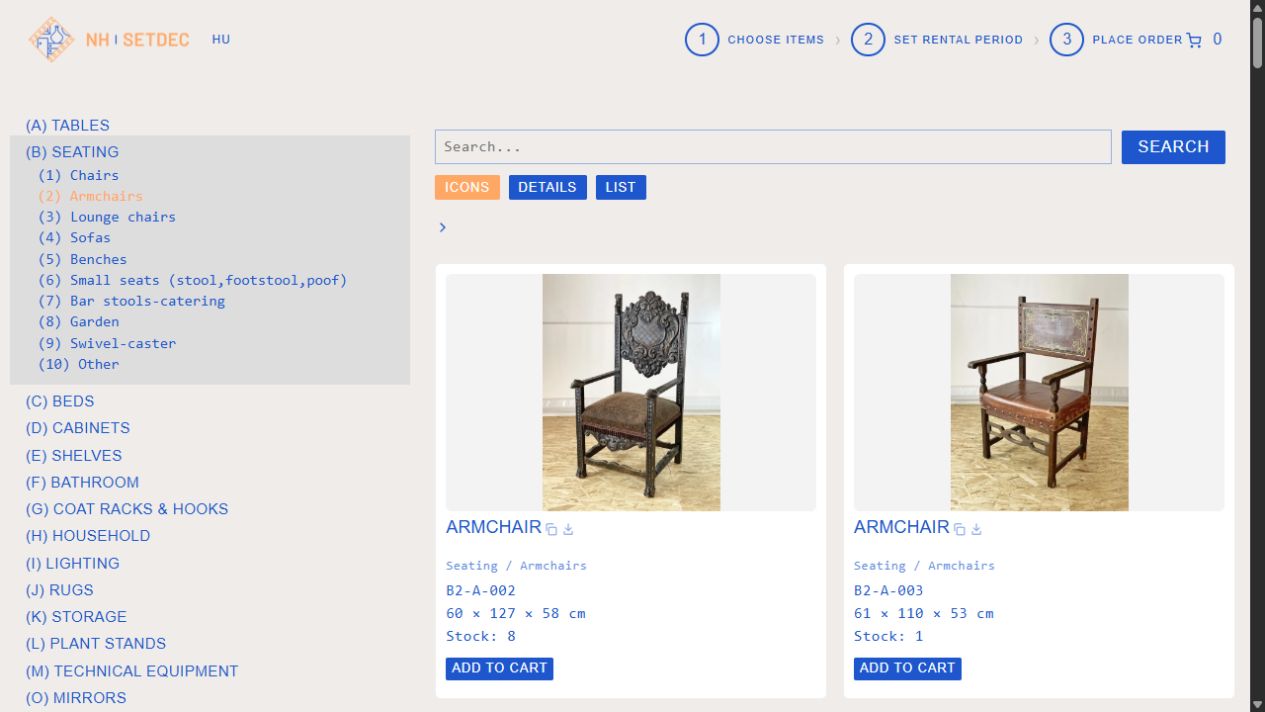
built for finding things
Customers may know an exact product code, a category, or just the kind of object they are looking for. The catalog supports each starting point and keeps the route to an enquiry clear.
Search beyond the product name
Search combines product titles, categories, keywords, and descriptions. Exact product codes take priority, while autocomplete helps customers explore the collection without knowing its internal naming system.
A category tree provides another way in. Customers can browse a broad group, narrow it to a specific object type, and return to their selection through a shareable URL.
One catalog, three views
Icon view puts photography first. Detail view adds product information beside the image. List view makes it easier to compare multiple items and scan their specifications.
The same collection supports visual exploration and practical checking. Customers can switch views as they move from discovering an object to checking its code, dimensions, and stock quantity.
Keep the browsing context
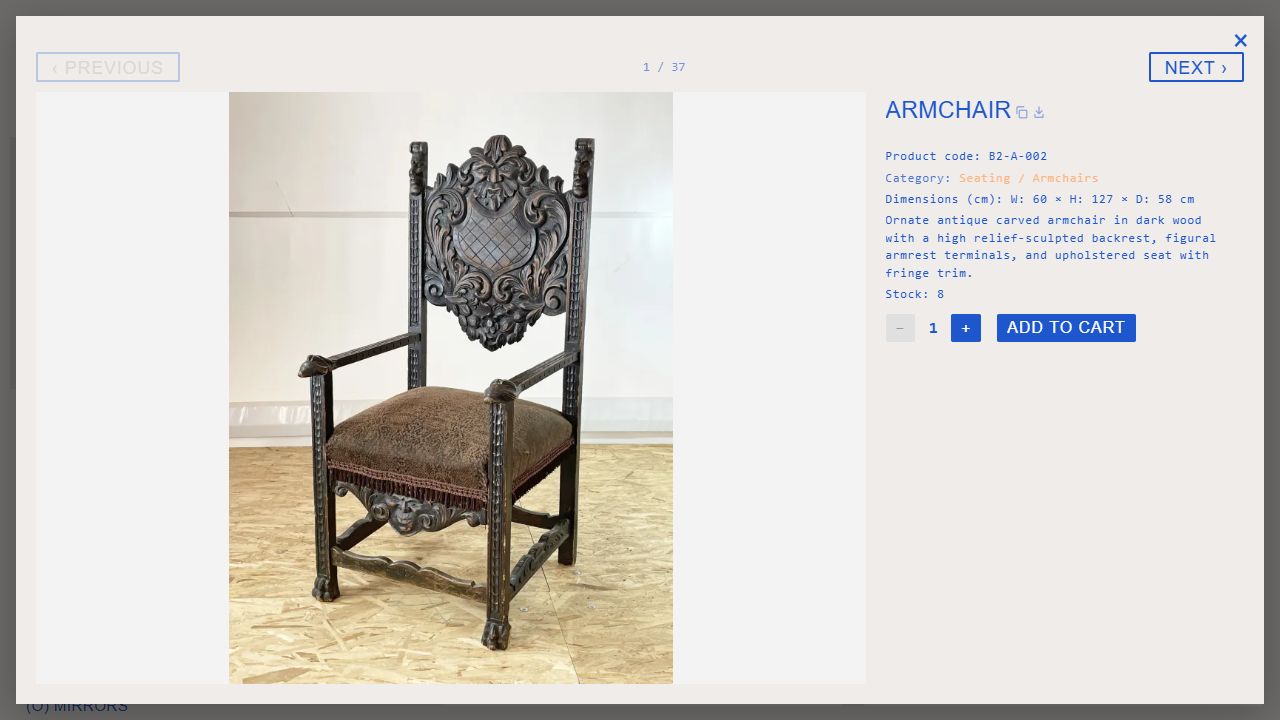
Product details open in an overlay with a larger photograph, description, dimensions, and quantity controls. Previous and next navigation let customers inspect items without leaving their results.
Each item has a copyable link and an image download. Closing the overlay restores the browsing position, so reviewing a product does not mean starting again at the top of the catalog.
From shortlist to quote request
Customers add items and quantities to a cart, choose the start and end of their rental period, and submit their contact details with the request.
NH Rental reviews the selected objects and dates before preparing a personalized offer. The flow collects the information the team needs while keeping the quote itself part of their working process.
less repetitive admin
The public catalog is one side of the project. The other is a repeatable way to prepare, connect, and maintain the product data behind it.
Work from a spreadsheet
The team maintains structured product data in a spreadsheet. An import feed maps it to the catalog, including bilingual fields, pricing, publication settings, and related products.
- Structured field mapping
- Product & text imports
- Publication control at source
Give every item a stable ID
Permanent spreadsheet IDs connect product records and image filenames. Display names can change while the identifier keeps the import and image matching consistent.
- IDs across source & catalog
- Image matching by identifier
- SKU, ID & language admin filters
Prepare content in batches
An image-based content tool prepares descriptions, keywords, and alt text. Translation and CSV output support Hungarian and English catalog content, ready for review and import.
- Image-to-description workflow
- HU / EN content preparation
- Resumable batch processing
a connected rental workflow
The project connects catalog preparation, customer discovery, and quote requests. Each part follows how the rental team and its customers actually work.
Maintain product data, match images, and prepare bilingual content for import.
Search or browse the collection, compare details, and build a selection of objects.
Send the selected items and rental period to NH Rental for a personalized offer.
have an idea?
let's make it work.
Send us a message and we'll get back to you quickly.